Vacation bids, awarded by seniority in minutes, not weeks.
Employees list a 1st, 2nd and 3rd choice for every week they've earned. Easy Vacation Bids awards them in seniority order, falls back to the next choice when a week is full, and keeps every balance straight.
- 30-day free trial, no card needed
- Nothing to install, works in any browser
- Each location gets its own private board
- Import your roster from Excel
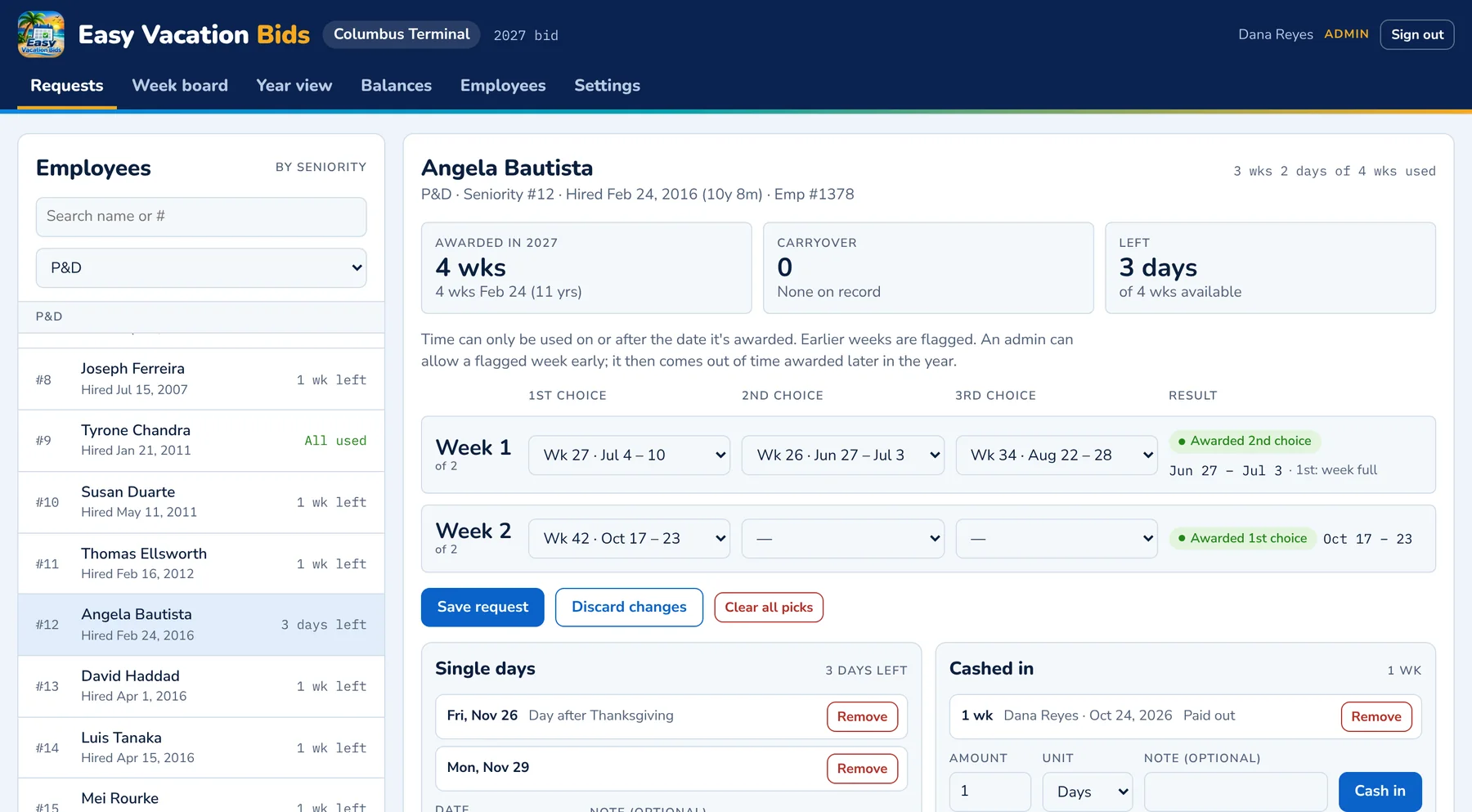
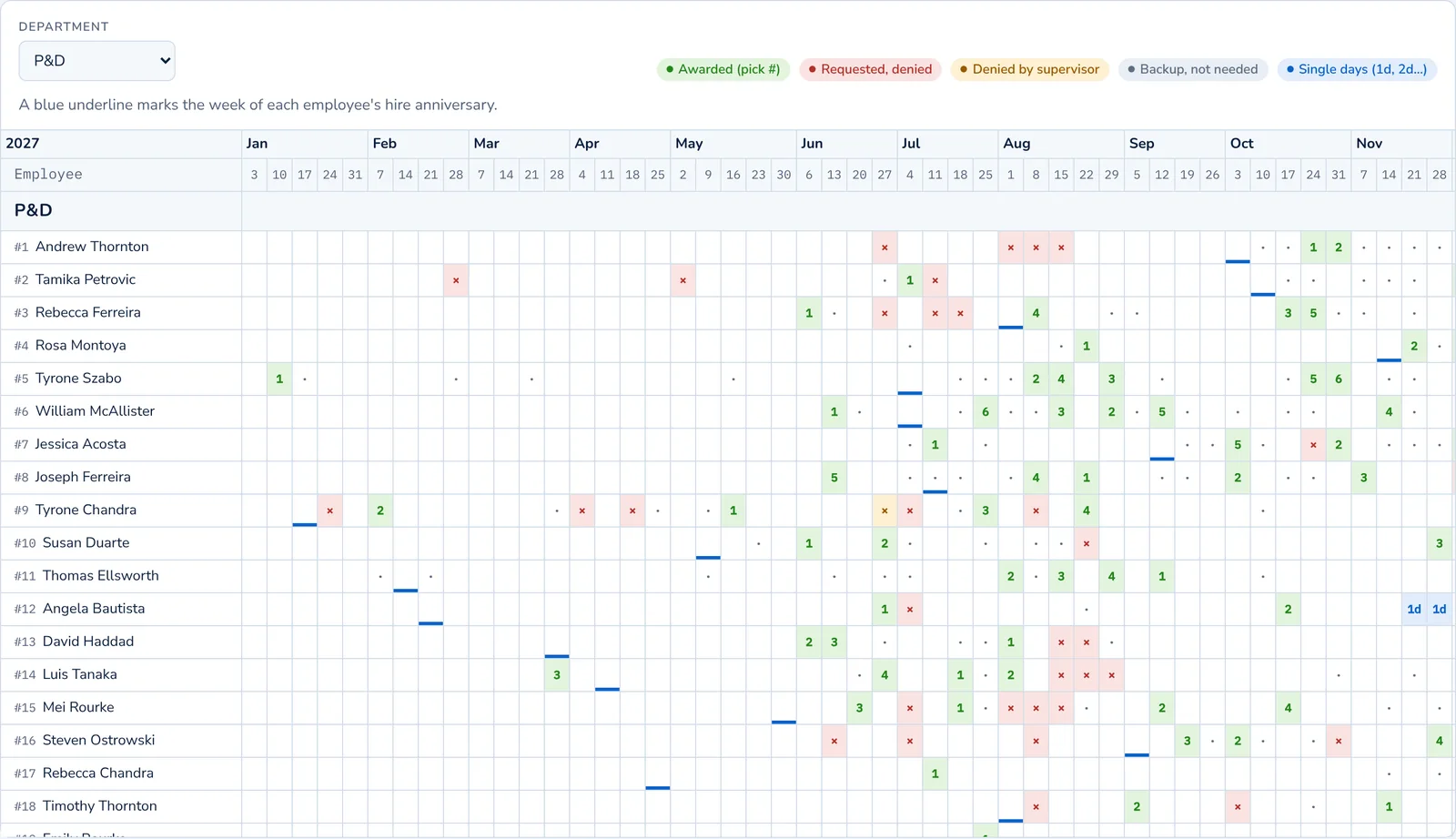
Above: Angela's 1st choice (Jul 4) was already full with more senior employees, so the board gave her the 2nd choice (Jun 27) automatically and moved on.
Watch a whole bid get awarded in 3 minutes.
One location, from the setup link to finalized weeks: roster import, department limits, three choices per week, automatic fallbacks, early approvals, single days, cash-ins and balances.
Narrated, with captions. Recorded on a demo board with a sample roster.
Everything a seniority bid needs, and nothing it doesn't.
Built around how terminals, warehouses and shops actually run vacation: by department, by hire date, with the contract's rules applied every time.
Seniority does the sorting
Every week shows who asked for it, most senior first. Each department has its own "off per week" limit, so once a week fills, the next person's 2nd or 3rd choice is checked instead.
- Ranked by company-wide hire date; ties go to the lower employee number
- Strict seniority, or round-robin (everyone's 1st week first, then everyone's 2nd)
- A supervisor can deny an awarded week; that person's next choice is checked right away
- Finalize a department to lock its results, or reopen it if something changes
Time is used only after it's earned
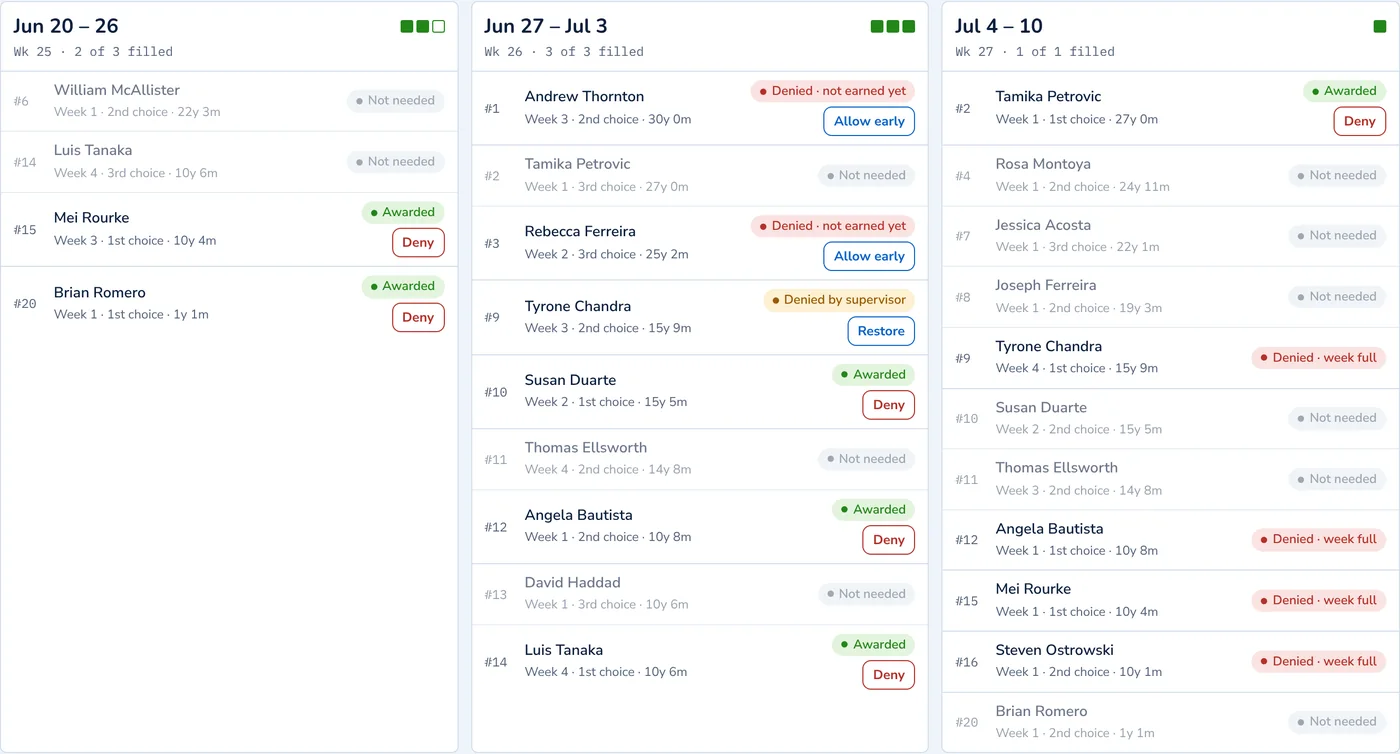
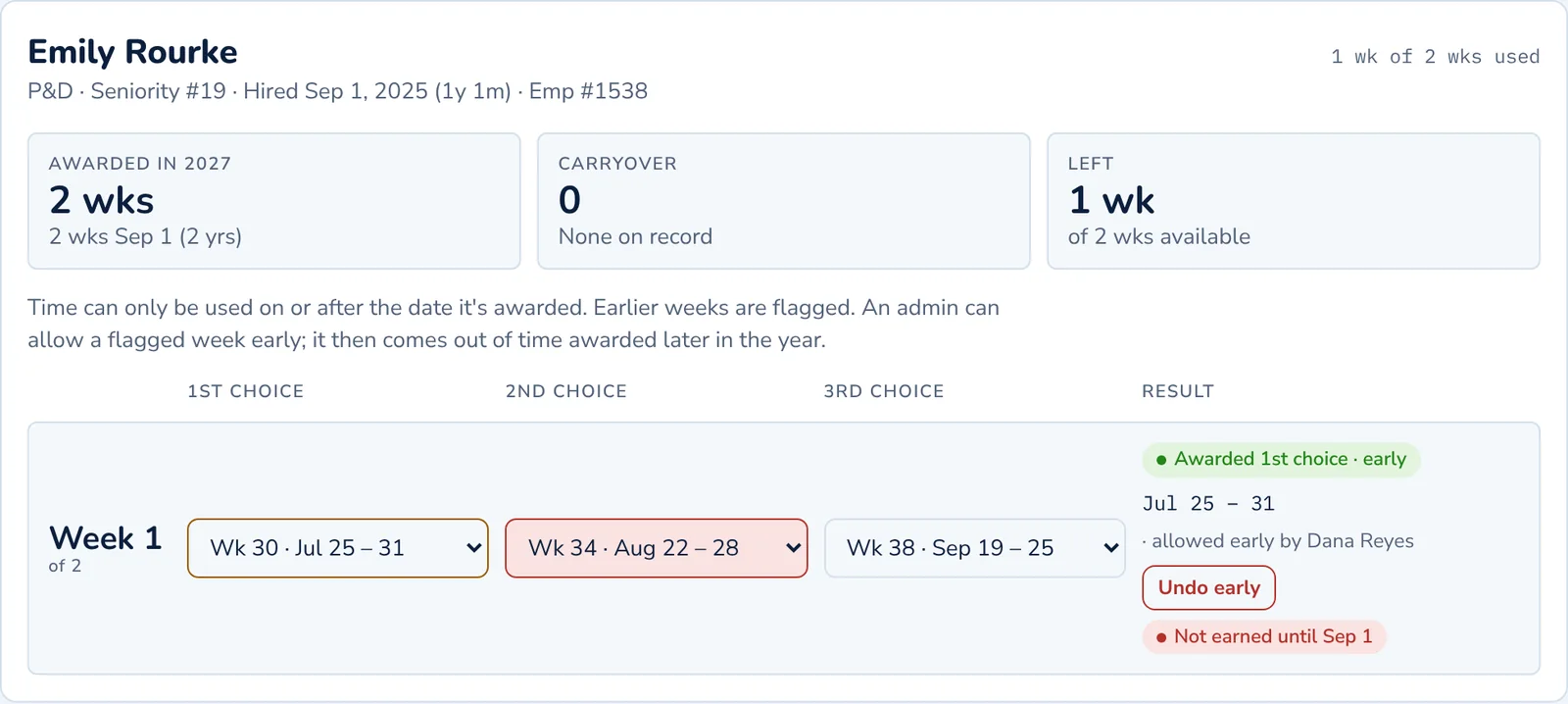
Vacation is awarded on each employee's hire anniversary. A week before that date is flagged as not earned yet, unless they have carryover left, and the board moves on to their next choice.
- Every choice is checked against the date the time is actually awarded
- Carryover from last year covers weeks before the anniversary
- An admin can Allow early; it comes out of time awarded later in the year
- Who allowed it, and when, stays on the record
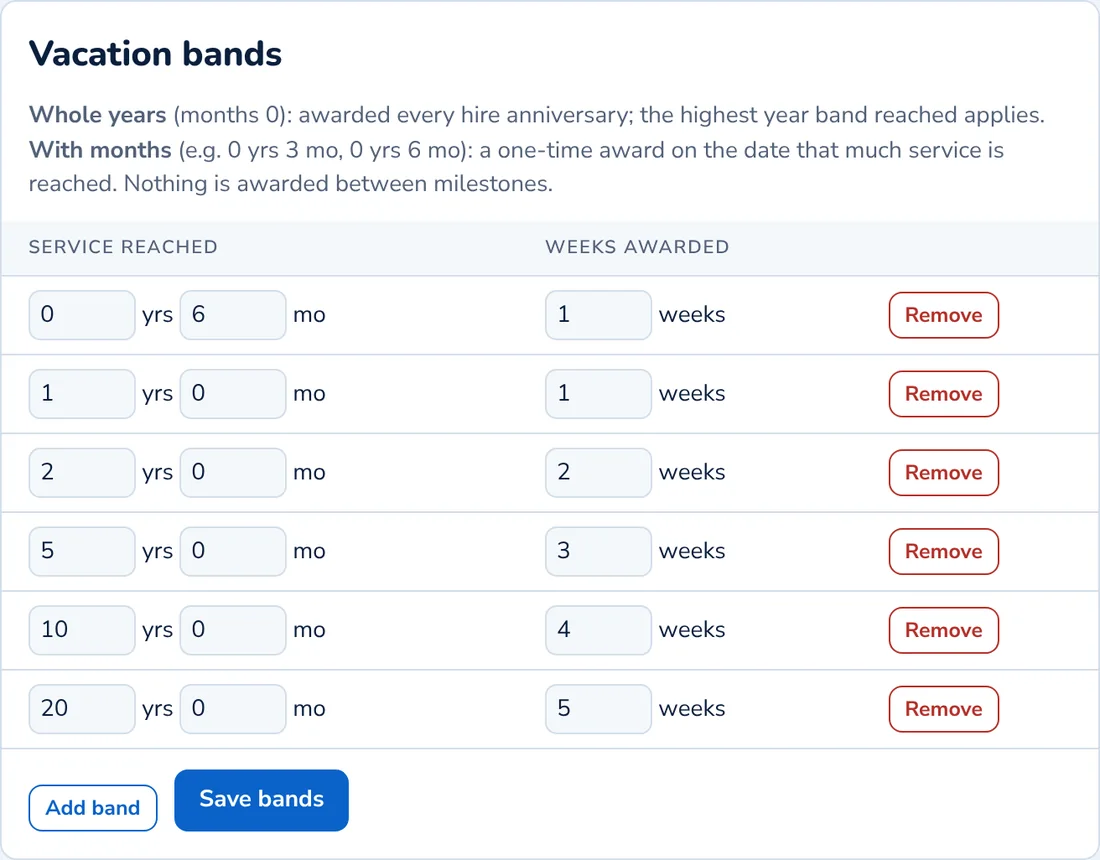
Your contract's bands, set once
Tell the board how many weeks people earn after so many years. It works out each person's time, every year, from their hire date.
- Year bands award on every hire anniversary; the highest band reached applies
- Month milestones (3 months, 6 months…) are one-time awards for new hires
- Choose how many weeks can carry over, and whether carryover can be used any time
- Holiday and closed weeks per department, with their own limits
Days, not just weeks
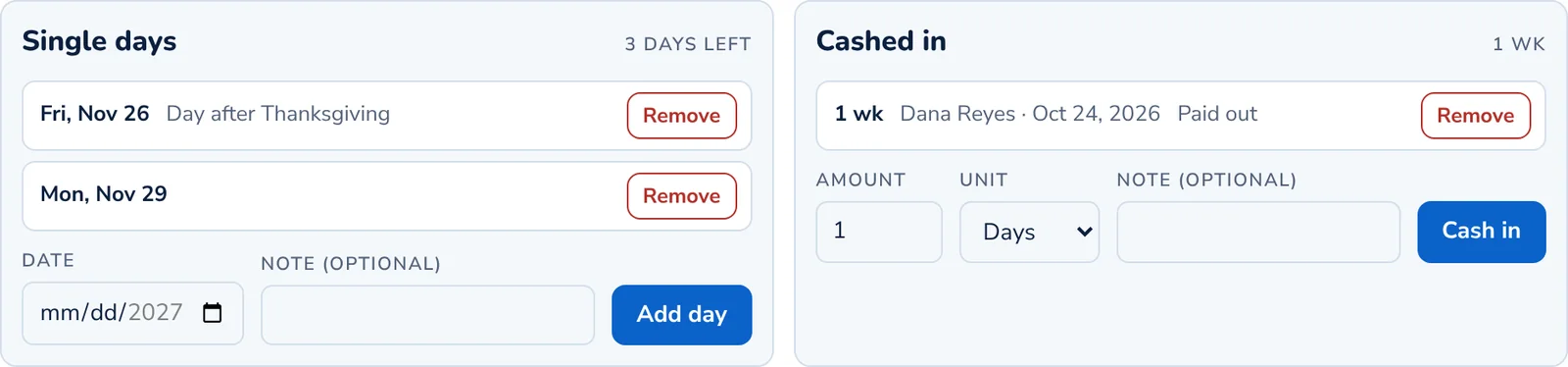
Not every day off is a full week. Admins can add single days and record time an employee cashed in, and the balance updates on the spot.
- Any day of the week: a Wednesday, or a Friday and the Monday after
- Cash-ins in days or weeks, with a note
- 5 days = 1 week; unused days carry over the same way
- Neither counts against a department's off-per-week limit, and both stay editable after finalizing
Every balance, always current
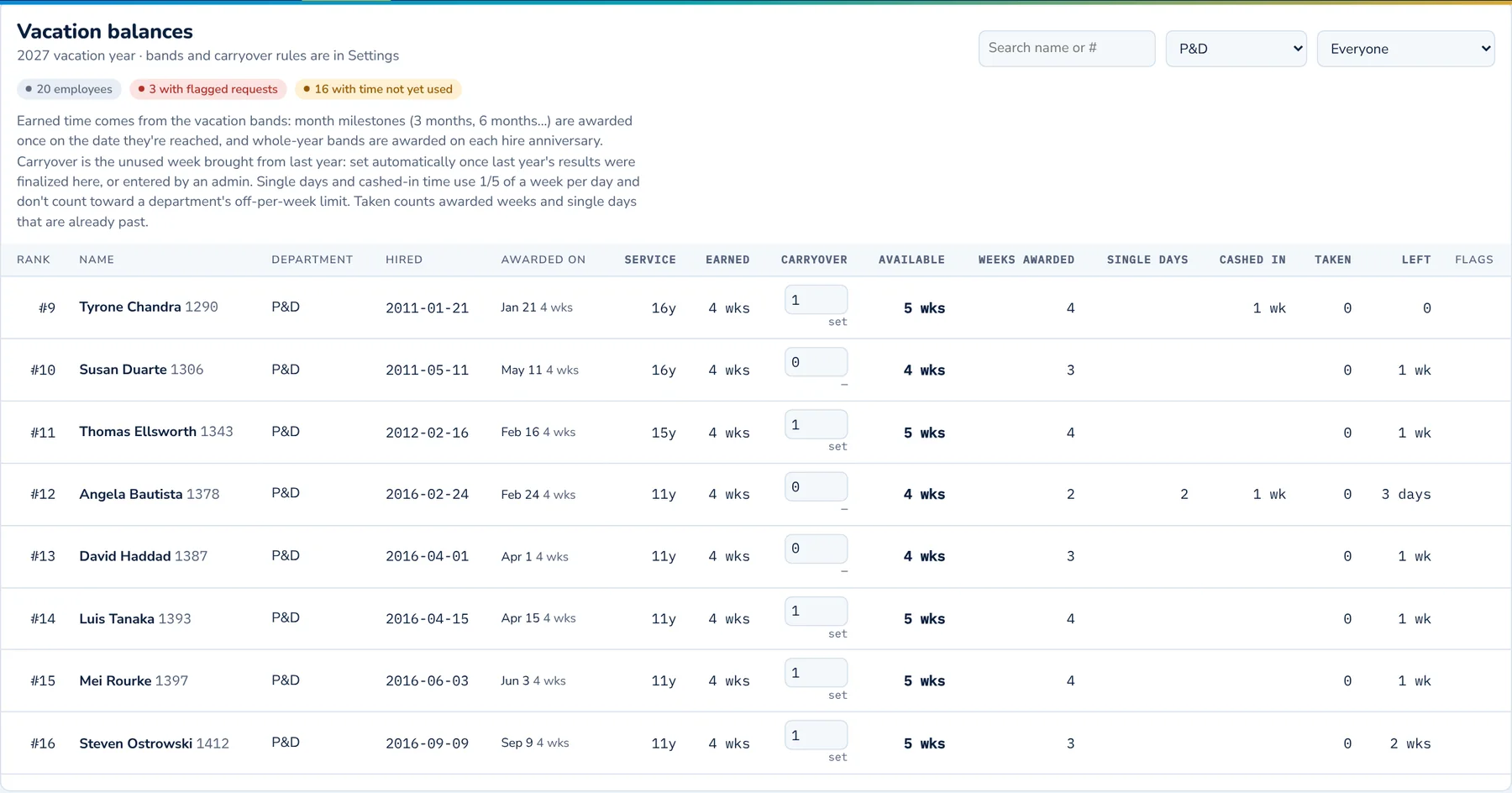
One table shows everyone's time for the year, so nobody has to keep a spreadsheet on the side.
- Earned, carryover, weeks awarded, single days, cashed in, taken and left
- The date each person's time is awarded
- Flags for anyone with a choice that isn't earned yet
- Carryover fills in automatically once last year is finalized, or an admin can set it
The whole year on one screen
Every employee down the side and every week across, so gaps and pile-ups stand out at a glance.
- Awarded weeks show which choice they were
- Denied and backup weeks, single days and supervisor denials are marked
- Each person's hire-anniversary week is underlined
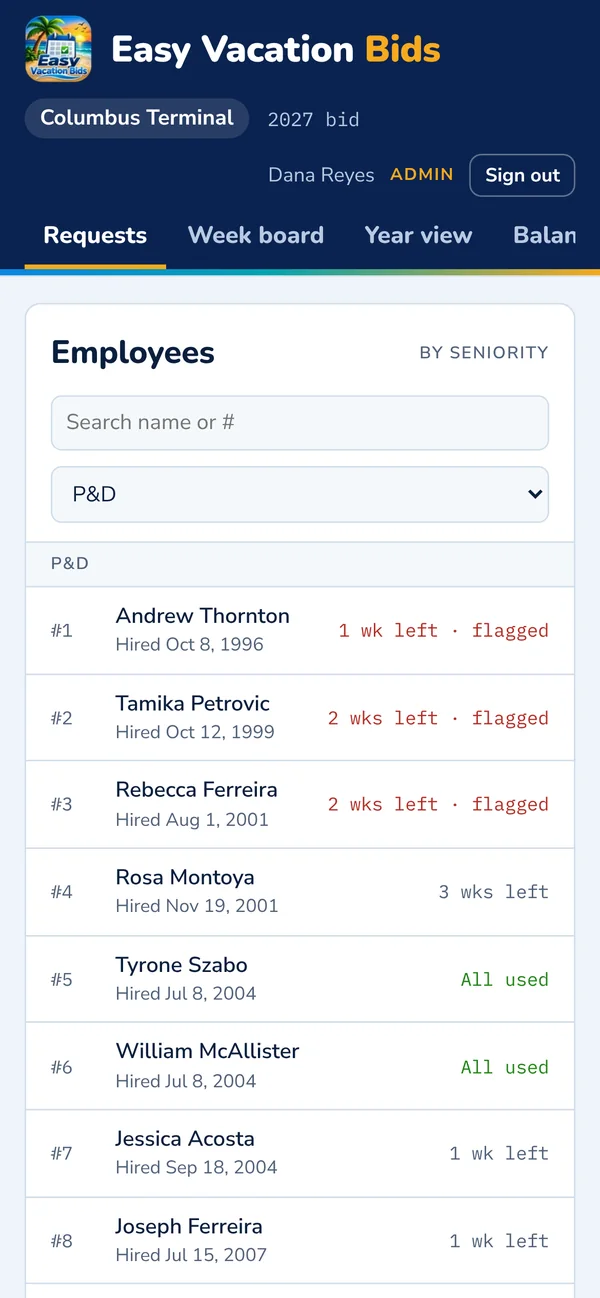
Works on the phone in your pocket
The same board on a desktop in the office or a phone on the dock. No app store, no install, nothing for IT to manage: open the link and sign in.
The full list
Bidding
- Up to 3 choices for every week earned
- Seniority by company-wide hire date
- Each department bids as its own pool
- Off-per-week limit per department
- Holiday and closed weeks
- Strict seniority or round-robin
- Supervisor deny, with automatic next choice
- Finalize and reopen by department
Earning time
- Bands by years of service
- Month milestones for new hires
- Awarded on the hire anniversary
- Carryover, with your own limit
- "Not earned yet" flags
- Allow early, with who and when recorded
Days and balances
- Single vacation days
- Cashed-in time, in days or weeks
- 5 days = 1 week
- Balances for everyone, with flags
- Year view of every employee
- Carryover filled in from last year
People and setup
- Excel roster import; re-import to update
- Admins and view-only users
- Sign-in emails aren't case sensitive
- A private board per location
- Live updates between users
- Nightly backups
- Any browser, desktop or phone
From sign-up to awarded weeks in an afternoon.
Create your board
Fill in the form below. Your board is ready in seconds with its own web address.
Set your rules
Name your location, set the vacation bands, and set how many people per department can be off each week.
Import your roster
Drop in an Excel file with names, hire dates, employee numbers and departments.
Enter requests and award
Enter each person's choices. The board awards by seniority as you go, and you finalize when you're done.
Simple yearly pricing, per location.
Every plan includes every feature. The price depends only on how many employees work at the location.
Small
Up to 50 employees
$75/ year
- Every feature
- Unlimited admins and viewers
- Nightly backups
Medium
51 to 200 employees
$175/ year
- Every feature
- Unlimited admins and viewers
- Nightly backups
Large
More than 200 employees
$250/ year
- Every feature
- Unlimited admins and viewers
- Nightly backups
Good to know
What happens when someone's 1st choice is full?
The board checks their 2nd choice, then their 3rd, automatically, working through everyone in seniority order. If none of the three can be awarded, that week shows as not awarded so you can follow up with the employee.
How is seniority decided?
By company-wide hire date. If two people share a hire date, the lower employee number goes first. Each department bids as its own pool, with its own off-per-week limit.
Can someone take a week before their hire anniversary?
Only if they have carryover left, or an admin clicks Allow early. An early week comes out of the time awarded later that year, and the board records who allowed it and when.
Who enters the requests?
Admins at the location enter each employee's choices, single days and cash-ins. Anyone else who should see the board, like supervisors or a union steward, can get a view-only sign-in.
How do we get our employees in?
Import an Excel file with name, hire date, employee number and department (and optional carryover weeks), or add people by hand. Import again any time to update people by employee number.
We have more than one location.
Create a board for each one. Every location gets its own address, its own admins and its own data, and nobody at one location can see another's.
Do we need to install anything?
No. It runs in any modern browser on a desktop, tablet or phone. Open the link and sign in.
What happens after the free trial?
We email you an invoice for the yearly plan that fits your location's size. If the board isn't renewed, it becomes read-only: everything stays there to view and nothing is deleted. It unlocks as soon as it's renewed.
Do we pay for viewers and admins?
No. The price is per location, based on the number of employees. Add as many admins and view-only sign-ins as you need.
Is our data backed up?
Yes. Every board is backed up automatically every night.
Create your board
One board per location. Have more than one terminal or shop? Create a board for each; they stay completely separate.
- Free for 30 days, no credit card needed
- Your board is created right away, with its own address
- You become its administrator and add your own team
- Bring your roster as an Excel file, or add people by hand
Creating your board…
This usually takes a few seconds. Please keep this page open.
Your board is ready
Your 30-day free trial starts now. Next, finish setup: create your admin sign-in and set your vacation bands. The setup link works once.
Finish setupThanks! You're on the list.
We've hit today's limit for new boards. Yours is next in line; we'll email the setup link to , usually within one business day.
Keep this page open and it will update on its own when your board is ready.
Already have a board?
Enter your location ID, the last part of your board's address (for example columbus-terminal).